Learn CSS the Fun Way in 2026: Games, Interactive Tools, and a Complete Roadmap 🎮
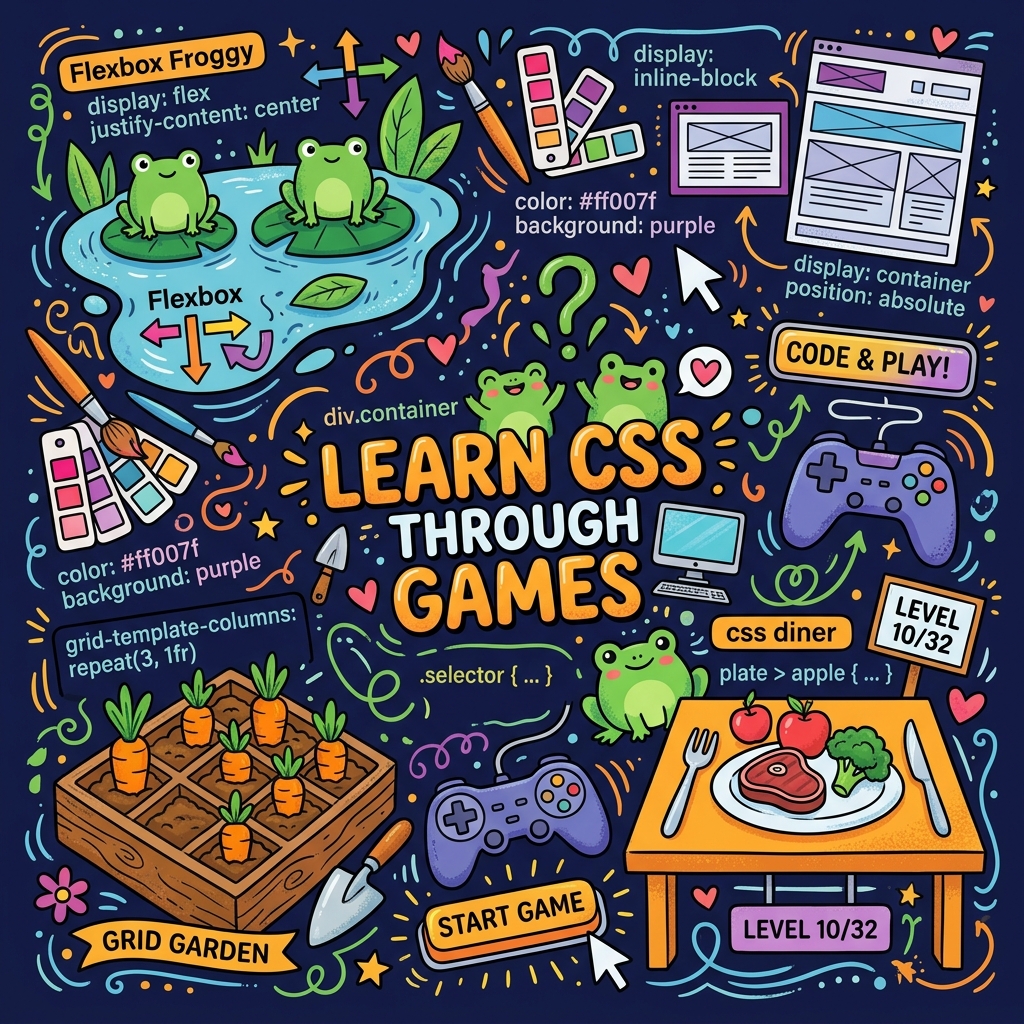
Mentor's Note: Learning CSS through interactive games isn't just fun — it's effective! Immediate visual feedback helps your brain build durable mental models 10x faster than reading dense specification docs. 💡
By the end of this guide, you will:
- Discover the top gamified tools for learning CSS selectors, Flexbox, and Grid.
- Understand why interactive playgrounds accelerate memory retention and confidence.
- Avoid the 4 most common CSS pitfalls that stump beginner developers.
- Follow a structured 1-week rapid roadmap or a comprehensive 4-week deep-dive roadmap.
CSS can feel confusing when you start from a long tutorial or a big textbook. A better way is to turn it into a game: solve puzzles, drag elements around, recreate designs, and get instant visual feedback. That is exactly what modern CSS games and interactive platforms offer.
This guide is for you if: You are a total beginner, a self-taught developer, or someone who learns best by doing. It is not for people who need deep CSS architecture (BEM, SMACSS), accessibility specialists, or those seeking a formal certification.
- 🍽️ CSS Diner — Selectors practice
- 🐸 Flexbox Froggy — Flexbox basics
- 🌻 Grid Garden — Grid layouts
🗺️ Interactive Learning Flowchart
Why Learn CSS Through Games?
Beginners often struggle with CSS because the connection between a property and the visual result is not obvious at first. Games solve this by making you apply one idea at a time — like selectors, Flexbox, or Grid — and immediately showing what changed.
Interactive tools also remove the fear of "breaking" something, because you experiment in a safe playground instead of a live website. Over time, this repeated, low-pressure practice helps you remember properties and patterns without rote memorization.
Use games like Froggy and Diner for 20-minute daily practice when you are tired. Use structured courses like Codecademy or Coddy when you have 45 minutes and want to understand why something works, not just that it works.
Core Playful CSS Tools (With Pricing)
| Tool | Best for | Pricing (2026) |
|---|---|---|
| CSS Diner | Selectors practice in game form | Free |
| Flexbox Froggy | Flexbox basics via puzzles | Free |
| Grid Garden | CSS Grid layouts via gardening game | Free |
| CSSBattle (incl. Learn) | Code-golf style CSS challenges | Free, optional Pro upgrade |
| Coding Fantasy | Story-based HTML/CSS/JS games | Free to start (some paid content) |
| Coddy CSS course | Guided interactive CSS course with hints | Free course with optional paid upgrades |
| 4Geeks CSS exercises | Auto-graded CSS exercises | Free online exercises |
| CSS Visual Learner | Visual playground for CSS effects | Free (open-source) |
| FWD Tools CSS Playground | Visual CSS lessons and live editor | Free lessons and playground |
| Codecademy "Learn CSS" | Structured interactive course | Freemium: free lessons + paid Pro plan |
| 100 Days of CSS | Daily creative CSS challenges | Free |
| W3Schools CSS tutorial | Reference + exercises | Free |
Direct Links to All Tools
| Tool | Direct Link |
|---|---|
| CSS Diner | flukeout.github.io |
| Flexbox Froggy | flexboxfroggy.com |
| Grid Garden | cssgridgarden.com |
| CSSBattle | cssbattle.dev |
| CSSBattle Learn | cssbattle.dev/learn |
| Coding Fantasy | codingfantasy.com |
| Coddy CSS | coddy.tech/landing/css |
| 4Geeks CSS | 4geeks.com/interactive-exercise/css-exercises |
| CSS Visual Learner | fahdi.github.io/css-visual-learner |
| FWD Tools CSS Playground | fwdtools.com/css-playground |
| Codecademy Learn CSS | codecademy.com/learn/learn-css |
| 100 Days of CSS | 100dayscss.com |
| W3Schools CSS | w3schools.com/css |
| CodePen | codepen.io |
More CSS Learning Tools to Explore
Beyond the core list, here are additional platforms worth checking out:
| Tool | Best for | Pricing |
|---|---|---|
| Flexbox Defense | Flexbox positioning via tower-defense game | Free |
| Flexbox Zombies | Flexbox mastery with story progression | Free |
| Grid Critters | Advanced Grid layouts via adventure game | Free |
| CSS Speedrun | Timed CSS property challenges | Free |
| CSS Challenges | Real-world CSS layout puzzles | Free |
| Web.dev Learn CSS | Google's structured CSS course | Free |
| Scrimba Learn CSS | Interactive video course with live coding | Freemium |
| Kevin Powell YouTube | Visual CSS explanations and tutorials | Free |
| CSS-Tricks Almanac | Deep-dive reference for every CSS property | Free |
| Smashing Magazine CSS | Articles on modern CSS techniques | Free |
| Frontend Mentor | Real-world design-to-code challenges | Free, optional Pro |
| iCodeThis | Daily CSS/HTML challenges with community | Free |
| Style Stage | CSS-only redesign challenges | Free |
| CSS Zen Garden | Classic CSS redesign showcase | Free |
| Dribbble | Recreate designs with CSS | Free |
| Exercism CSS Track | Mentored CSS exercises | Free |
| freeCodeCamp CSS | Full curriculum with certifications | Free |
| The Odin Project | Full-stack path with heavy CSS focus | Free |
| CSS Mastery (book) | Deep reference for serious learners | Paid (~$40) |
| Every Layout | Reusable CSS layout patterns | Paid (~$100) |
- CSS Diner teaches selectors only — it does not cover properties like
colororfont-size. You will need to supplement that elsewhere. - CSSBattle's main battle mode rewards terse/golfed code over clean, readable code, which can frustrate absolute beginners. Start with CSSBattle Learn instead.
Common Beginner Mistakes to Avoid
Before you start, know these 4 pitfalls:
- Using
!importantto fix specificity issues instead of understanding the cascade. It creates more maintenance problems than it solves. - Confusing
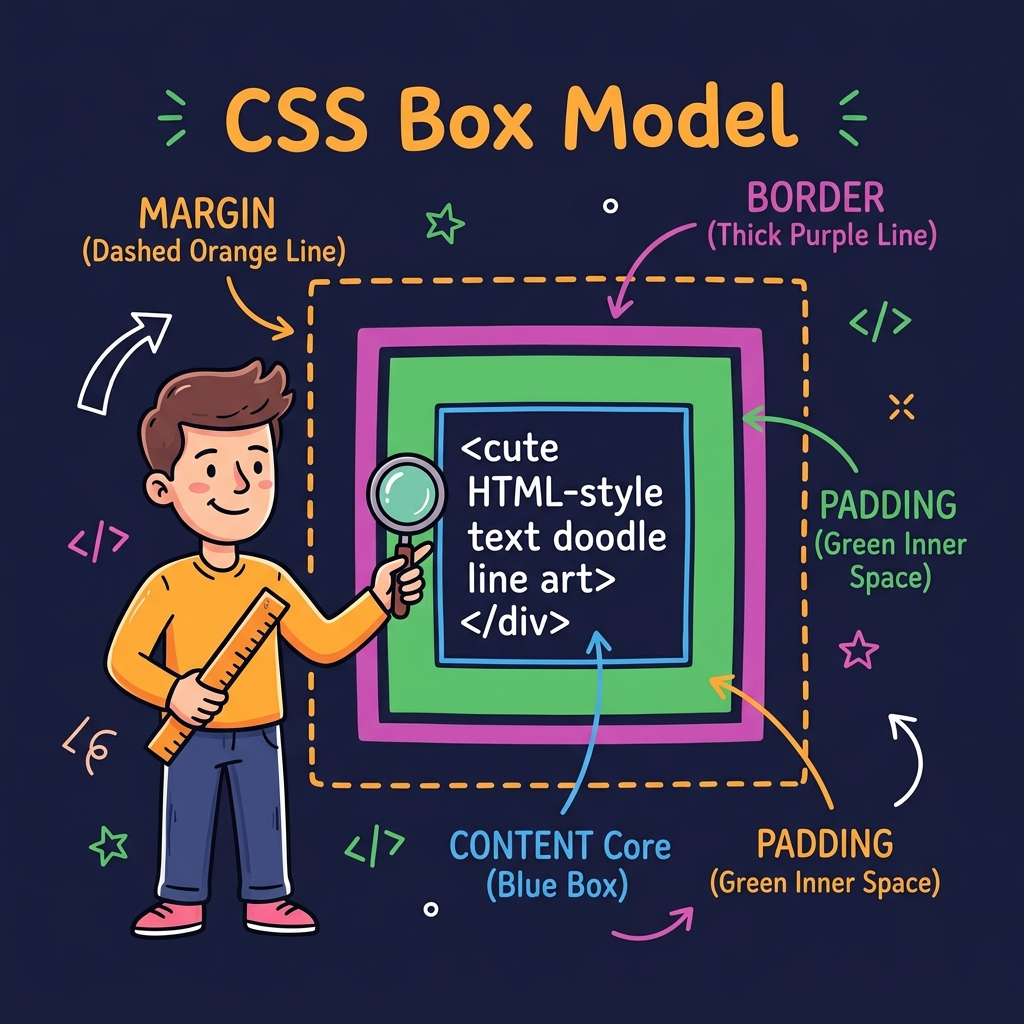
marginwithpadding. Margin is outside spacing; padding is inside spacing. When in doubt, add a brightbackground-colorto see the boundary. - Using Flexbox or Grid for everything. They are layout tools, not alignment hacks. Simple text centering might only need
text-align: center. - Forgetting browser DevTools. Right-click any element → "Inspect" to see live styles, test changes, and debug instantly.
1-Week Playful CSS Roadmap (For Total Beginners)
This is a practical 7-day timeline you can follow even if you have never written CSS before. If you only have one week, do this accelerated plan. If you have a month, use Week 1 of the 4-week plan below as a gentler version of the same material.
Day 1: Learn Selectors with CSS Diner
- Aim: Understand how CSS "finds" elements using selectors.
- Tool: CSS Diner — a game where you target items on a table with the right selector.
- Time: 20–30 minutes.
Focus on:
- Type selectors:
p,h1,li. - Class selectors:
.button. - ID selectors:
#main. - Simple combinations:
ul li,.card p. - Specificity and cascade: Understand that
idbeatsclass,classbeatstype, and inline styles beat everything (but avoid them). This is the #1 reason beginners' styles "don't work."
Before Day 2, open a code editor and write three rules targeting the same element with different selectors. Which one wins?
Day 2: Flexbox Basics with Flexbox Froggy
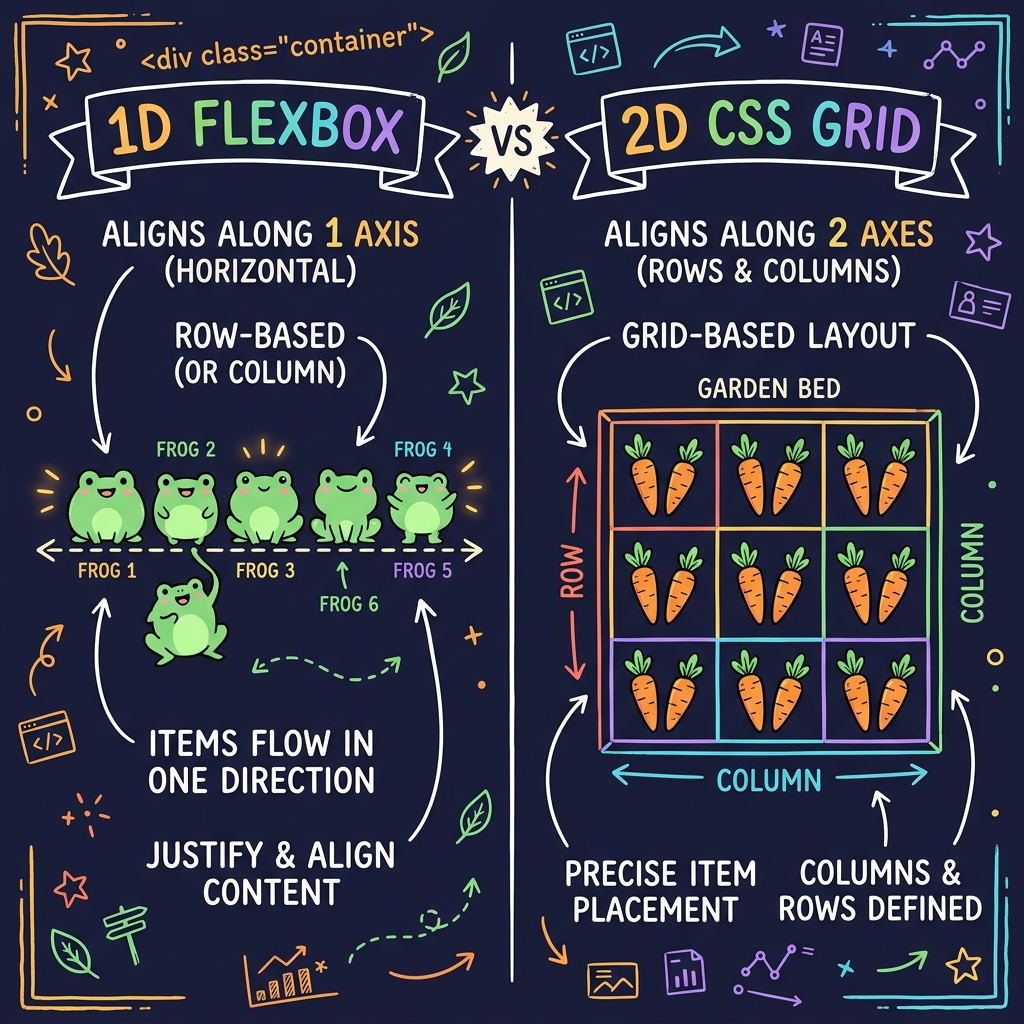
- Aim: Learn how to align and distribute items in one dimension.
- Tool: Flexbox Froggy — move frogs to lily pads by writing Flexbox rules.
- Time: 20–30 minutes.
Key properties:
display: flexjustify-contentalign-itemsflex-direction- Basic Flexbox alignment patterns.
Create a row of three colored boxes. Use justify-content: space-between and align-items: center. Resize your browser window. What happens?
Day 3: Mini Practice and Recap
- Aim: Turn game knowledge into your own code.
- Tools: Any code editor or online editor (e.g., Coddy's built-in editor, or CodePen).
- Time: 15–25 minutes.
Do this:
- Create a simple HTML file with a few elements.
- Apply selectors you learned to change color, font size, and spacing.
- Make a small Flexbox layout with 3–4 boxes in a row.
- Open browser DevTools (right-click → Inspect) and change styles live. This is how professionals debug CSS.
This day is about connecting "I solved the puzzle" to "I can write this from scratch."
Day 4: Learn CSS Grid with Grid Garden
- Aim: Understand two-dimensional layout with Grid.
- Tool: Grid Garden — water carrots by placing them correctly in a grid.
- Time: 20–30 minutes.
Focus on:
display: gridgrid-template-columnsandgrid-template-rowsgrid-columnandgrid-rowpositioning.
Build a 3×3 photo grid. Make the first image span two columns using grid-column: span 2.
Day 5: Structured Practice with Coddy or 4Geeks
- Aim: Get more "course-like" practice but still interactive.
- Tools:
- Coddy – Learn CSS (browser-based, interactive, AI hints).
- 4Geeks CSS exercises (auto-graded exercises).
- Time: 25–35 minutes.
Use this day to:
- Review box model: margin, padding, border.
- Learn
box-sizing: border-box. This property makes width calculations intuitive — without it, padding adds to the total width and breaks layouts. - Practice typography: font, size, line-height.
- Try a few guided tasks with live preview.
Both platforms are free to use at beginner level and give immediate feedback on your code.
Day 6: Challenge Mode with CSSBattle Learn
- Aim: Push yourself with creative challenges.
- Tool: CSSBattle Learn — recreate a given design using only HTML and CSS.
- Time: 20–30 minutes.
Start with:
- A very simple target (shapes, colors).
- Do not worry about shortest code; focus on making it match visually.
CSSBattle is free, with optional Pro features, and is recommended for building precision and creativity once you have fundamentals.
Pick one target. Spend 15 minutes on it. Then look at the top solutions — not to copy, but to see which properties you have not used yet.
Day 7: Build Your First Tiny Page
- Aim: Combine everything.
- Tool: Any editor + optionally CSS Visual Learner or FWD Tools for experimentation.
- Time: 30–45 minutes.
Build:
- A mini landing section with a title, subtitle, button, and image or illustration.
- Use Flexbox or Grid for layout.
- Apply padding, margin, background, and basic typography.
- Add a hover effect to the button using
transition.
The goal is not perfection. If your button is slightly off-center, that is fine. You fixed it with CSS instead of giving up. Show it to someone — that is how you know you are learning.
4-Week Playful Roadmap (After the First Week)
If you like the 1-week plan, extend it to a month to reach a solid beginner–intermediate level.
Week 1: Foundations and Selectors (Gentle Pace)
- Tools: CSS Diner, Flexbox Froggy, Grid Garden.
- Focus:
- Selectors, colors, basic fonts.
- Flexbox row/column layouts.
- Simple grids.
- Specificity and cascade rules.
Spend 20–30 minutes a day alternating the three games for repetition. Do not rush — understanding why a selector works matters more than finishing all levels.
Week 2: Box Model, Visuals, and Playgrounds
- Tools: Coddy CSS, 4Geeks exercises, CSS Visual Learner, FWD Tools CSS Playground.
- Focus:
- Margin, padding, borders, backgrounds.
box-sizing: border-box— apply it globally with* { box-sizing: border-box; }.- Typography and spacing.
- Visual hover effects and transitions.
- CSS custom properties (variables):
--primary-color: #3498db;thencolor: var(--primary-color);.
FWD Tools includes 53 lessons across chapters that cover selectors, typography, box model, Flexbox, Grid, animations, variables, responsive design, and modern color, all with live preview.
Week 3: Responsive Design, Accessibility, and Creative Practice
- Tools: FWD Tools, Codecademy Learn CSS, 100 Days of CSS.
- Focus:
- Media queries for mobile vs desktop:
@media (max-width: 600px) { ... }. - Layouts that adjust to screen width.
- Daily micro-challenges for creativity.
- Basic accessibility: Ensure focus styles are visible, check color contrast (aim for 4.5:1 minimum), and respect
prefers-reduced-motionfor animations.
- Media queries for mobile vs desktop:
Codecademy's CSS course offers a freemium model: beginner content is free, with deeper tracks in the paid Pro plan, which many beginners use after the free games.
Week 4: Challenges, Polishing, and Small Projects
- Tools: CSSBattle, CSSBattle Learn, 100 Days of CSS, W3Schools CSS exercises.
- Focus:
- Recreate simple webpage sections (a pricing card, a navigation bar, a hero section).
- Daily CSSBattle target or 100 Days of CSS challenge.
- Refactor and clean up your code — remove unused styles, group related rules, add comments.
W3Schools remains a popular free reference and includes small exercises that work well when you want a quick check on syntax.
Pick one project from Week 4 and host it on GitHub Pages. Having a live URL you can share is a powerful motivator.
What Comes Next?
After these four weeks, you will have a solid foundation. Pick one path to continue:
- 🌐 Build a small personal website. A portfolio, a blog, or a landing page for a side project. Real constraints teach more than tutorials.
- 🤝 Contribute to an open-source project. Find a project with "good first issue" labels and fix CSS bugs. You will learn from code review.
- 🚀 Go deeper. Learn CSS animations (
@keyframes), advanced selectors (:has(),:is()), container queries, or CSS architecture (BEM, utility-first frameworks like Tailwind).
The best CSS developers are not the ones who memorized every property. They are the ones who kept building, breaking, and fixing things until the patterns stuck.