HTMX Part 2: Search, Inline Editing, & Infinite Scroll ⚡
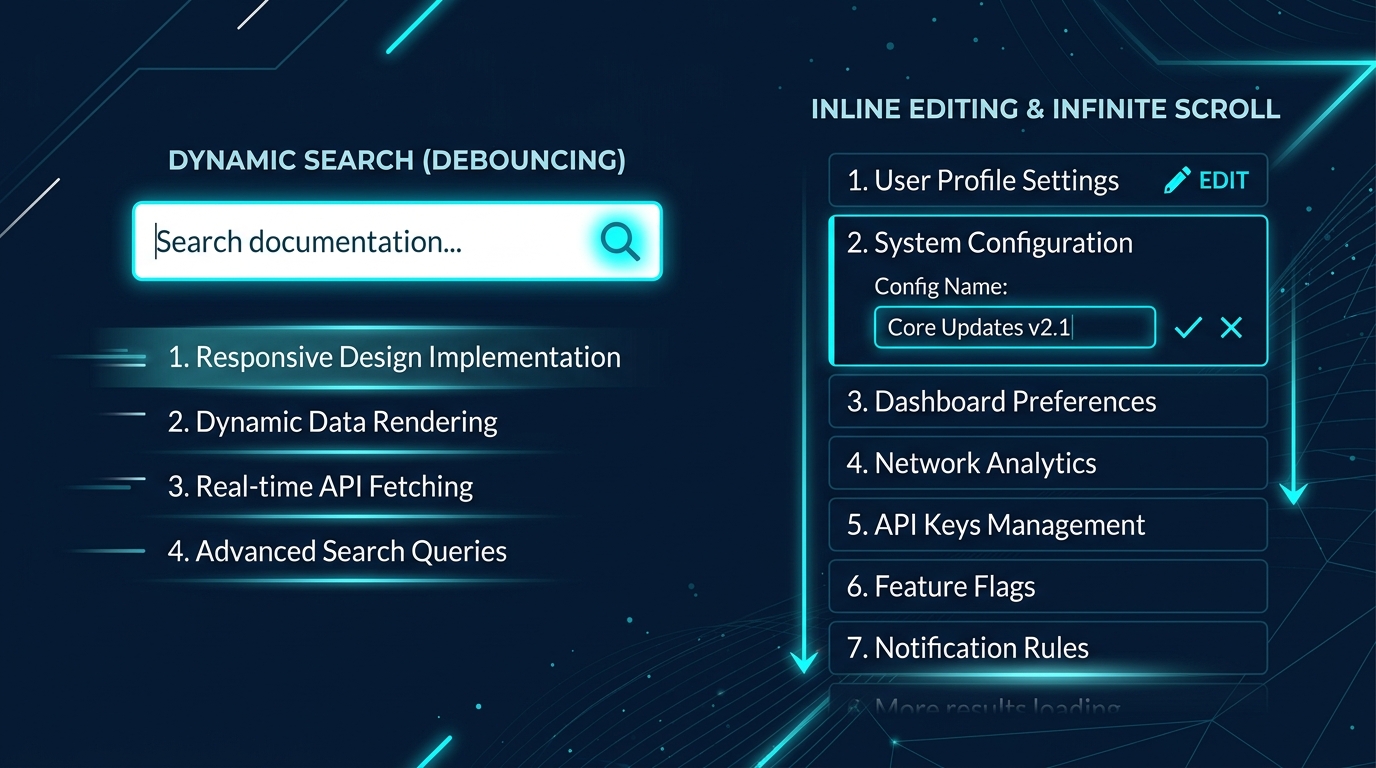
Mentor's Note: In traditional Single Page Apps (SPAs), features like instant search, inline form editing, and infinite scroll require hundreds of lines of complex state-management code. In this tutorial, we will implement all three features in pure HTML with HTMX attributes! Let's get started. 💡
🌟 The Scenario: The Contact Manager Dashboard 📇
Imagine you are building a school directory system in Surat. Students and teachers need to:
- Search contacts instantly as they type.
- Edit a teacher's room number inline without opening a new page.
- Scroll down a list of 1,000 students and have them load automatically as they scroll.
Let's build these three core features!
🔍 Feature 1: Active Search (with Debounce)
What is Active Search?
Active search triggers a backend search request automatically as the user types, updating the results panel in real-time.
To prevent hammering the database on every single keystroke (which causes severe performance lag), we use debouncing via the delay modifier.
The Code Implementation
🌐 The Frontend (search.html)
<div class="search-container">
    <h2>Interactive Student Search</h2>
    <!--
      hx-get: Triggers a GET request to /search
      hx-trigger:
        - "keyup": triggers on keystrokes
        - "changed": only requests if the input value has actually changed
        - "delay:500ms": waits 500ms of typing inactivity before sending request (debounce)
      hx-target: Places the returning HTML table rows inside the <tbody>
      hx-indicator: Shows a loading spinner while the request is in flight
    -->
    <input type="search" name="q"
           placeholder="Search students..."
           hx-get="/search"
           hx-trigger="keyup changed delay:500ms, search"
           hx-target="#search-results"
           hx-indicator="#search-indicator"
           autocomplete="off" />

    <!-- 🎯 HTMX toggles the `htmx-request` class on this element automatically -->
    <span id="search-indicator" class="htmx-indicator">Searching... 🔄</span>

    <table>
        <thead>
            <tr>
                <th>Name</th>
                <th>Grade</th>
                <th>Email</th>
            </tr>
        </thead>
        <tbody id="search-results">
            <!-- Table rows will be swapped here dynamically -->
        </tbody>
    </table>
</div>

<style>
  /* 🎯 CSS indicator styling: opacity transition is driven by htmx-request class */
  .htmx-indicator {
      opacity: 0;
      transition: opacity 200ms ease-in;
  }
  .htmx-request .htmx-indicator,
  .htmx-indicator.htmx-request {
      opacity: 1;
  }
</style>
:::info "Trigger Decoding"
hx-trigger="keyup changed delay:500ms, search" means:
- Fire on every
keyupevent. changed: only request if the value has actually changed (e.g. arrow keys are ignored).delay:500ms: debounce by waiting 500ms of inactivity.search: triggered immediately if the user clears the input with the browser clear button×. :::
🟢 The Backend (server.js snippet)
const students = [
];
app.get('/search', (req, res) => {
const query = (req.query.q || '').toLowerCase().trim();
// Empty query → return a placeholder line, not all results
if (!query) {
return res.send('<tr><td colspan="3">Start typing to search...</td></tr>');
}
// Filter students
const matched = students.filter(s => s.name.toLowerCase().includes(query));
// Render dynamic HTML snippet
if (matched.length === 0) {
return res.send('<tr><td colspan="3">No students found.</td></tr>');
}
const htmlSnippet = matched.map(s => `
<tr>
<td>${s.name}</td>
<td>${s.grade}</td>
<td>${s.email}</td>
</tr>
`).join('');
res.send(htmlSnippet);
});
📝 Feature 2: Inline Editing (The 3-State Dance)
Inline editing allows a user to edit fields in place. Instead of loading a separate edit page, we swap the read-only view with an input form, and then swap the form back with the updated read-only view.
The 3-State Lifecycle:
- View State: Shows the read-only info with an "Edit" button.
- Form State: Swaps the view with input fields, "Save", and "Cancel" buttons.
- Saved State: Submits the form data to the backend, updates the database, and returns the updated View State to swap in.
The Code Implementation
🌐 The Frontend (inline-edit.html)
We wrap our component in a div with a unique ID (#profile-card).
<!-- 1. The VIEW STATE (Initial view) -->
<div id="profile-card" class="card">
    <h3>Teacher Profile</h3>
    <p><strong>Name:</strong> Mr. Vikram Dev</p>
    <p><strong>Room:</strong> 404</p>

    <!-- Clicking Edit requests the FORM STATE and swaps the entire #profile-card -->
    <button hx-get="/teacher/edit"
            hx-target="#profile-card"
            hx-swap="outerHTML">
        Edit Room ✏️
    </button>
</div>
Here is what the backend returns when /teacher/edit is called (Form State). We use hx-on::after-request inline lifecycle events (new in HTMX 2.x) to handle client actions cleanly:
<!-- 2. The FORM STATE -->
<form id="profile-card" class="card"
      hx-put="/teacher/save"
      hx-target="#profile-card"
      hx-swap="outerHTML"
      hx-on::after-request="if(event.detail.successful) this.reset()">
    <h3>Edit Teacher Profile</h3>
    <p><strong>Name:</strong> Mr. Vikram Dev</p>

    <label for="room"><strong>Room:</strong></label>
    <input type="text" id="room" name="room" value="404" required />

    <div style="margin-top: 1rem;">
        <button type="submit">Save ✅</button>
        <!-- Clicking Cancel requests the original VIEW STATE without saving -->
        <button hx-get="/teacher/view" hx-target="#profile-card" hx-swap="outerHTML">
            Cancel ❌
        </button>
    </div>
</form>
🟢 The Backend (server.js snippet)
let teacherRoom = "404";

// State 2: Send the Form HTML State
app.get('/teacher/edit', (req, res) => {
    res.send(`
        <form id="profile-card" class="card"
              hx-put="/teacher/save"
              hx-target="#profile-card"
              hx-swap="outerHTML"
              hx-on::after-request="if(event.detail.successful) this.reset()">
            <h3>Edit Teacher Profile</h3>
            <p><strong>Name:</strong> Mr. Vikram Dev</p>
            <label for="room"><strong>Room:</strong></label>
            <input type="text" id="room" name="room" value="${teacherRoom}" required />
            <div style="margin-top: 1rem;">
                <button type="submit" style="background:#10b981; color:white;">Save ✅</button>
                <button hx-get="/teacher/view" hx-target="#profile-card" hx-swap="outerHTML" style="background:#6b7280; color:white;">Cancel ❌</button>
            </div>
        </form>
    `);
});

// State 3: Save room changes and return the View HTML State
app.put('/teacher/save', (req, res) => {
    teacherRoom = req.body.room || teacherRoom;
    res.send(`
        <div id="profile-card" class="card">
            <h3>Teacher Profile</h3>
            <p><strong>Name:</strong> Mr. Vikram Dev</p>
            <p><strong>Room:</strong> ${teacherRoom}</p>
            <button hx-get="/teacher/edit" hx-target="#profile-card" hx-swap="outerHTML">Edit Room ✏️</button>
        </div>
    `);
});

// Cancel Action: Return original View HTML State
app.get('/teacher/view', (req, res) => {
    res.send(`
        <div id="profile-card" class="card">
            <h3>Teacher Profile</h3>
            <p><strong>Name:</strong> Mr. Vikram Dev</p>
            <p><strong>Room:</strong> ${teacherRoom}</p>
            <button hx-get="/teacher/edit" hx-target="#profile-card" hx-swap="outerHTML">Edit Room ✏️</button>
        </div>
    `);
});
📜 Feature 3: Infinite Scroll
Infinite scroll loads more content automatically when the user scrolls near the bottom of the page, eliminating the need for manual pagination buttons.
How does HTMX do it?
We use hx-trigger="revealed" on the last item of the current list. When that element becomes visible in the viewport:
- HTMX triggers a request to fetch the next page of results.
- We append the new items using
hx-swap="afterend". - The new page returned by the server will contain its own new last item, which also has
hx-trigger="revealed", continuing the cycle!
<!-- Example of a middle element -->
<div class="student-row">Student #8</div>

<!-- The LAST element that triggers the next page -->
<div class="student-row"
     hx-get="/students/page/2"
     hx-trigger="revealed"
     hx-swap="afterend">
     Student #9 (Scroll here to load page 2!) ⬇️
</div>
:::warning "Sentinel Positioning"
In infinite scroll, the trigger element (the sentinel) must be replaced or shifted down. By using hx-swap="afterend" on the sentinel, the new items (which include a new sentinel at the end) are inserted directly after it, organically scrolling the old one out of active observation.
:::
⚡ Supercharging with IntersectionObserver preloading
By default, the revealed trigger fires when the element touches the browser viewport. For ultra-smooth infinite scrolling, you can configure the browser to pre-fetch the next page 200px before the user even reaches the bottom:
// Put this in your global script tag to preload pages early
htmx.config.intersectionObserverCallback = (cb) => {
    return new IntersectionObserver(cb, {
        rootMargin: '200px' // Preload content 200px before it is scrolled into view
    });
};
❓ Quick Quiz
:::question "What is the purpose of hx-swap='afterend' in infinite scroll?" Why do we use 'afterend' instead of the default 'innerHTML'?
- It replaces the trigger element with the server response.
- It puts the response inside the trigger element.
- It inserts the server response immediately after the target/trigger element, keeping the existing items on the screen.
- It clears the page before inserting the new items. :::
✅ Summary
In this tutorial, you learned to construct:
- ✅ Active Search: Using
delay:500msdebounce and transition indicators for modern typing states. - ✅ Inline Editing: Managing the 3-state (View 🔄 Form 🔄 Save) cycle with HTMX 2.x
hx-onlifecycle triggers. - ✅ Infinite Scroll: Leveraging
hx-trigger="revealed"and configuringIntersectionObservermargins to preload pages.